 Prylo
A space to think out loud.
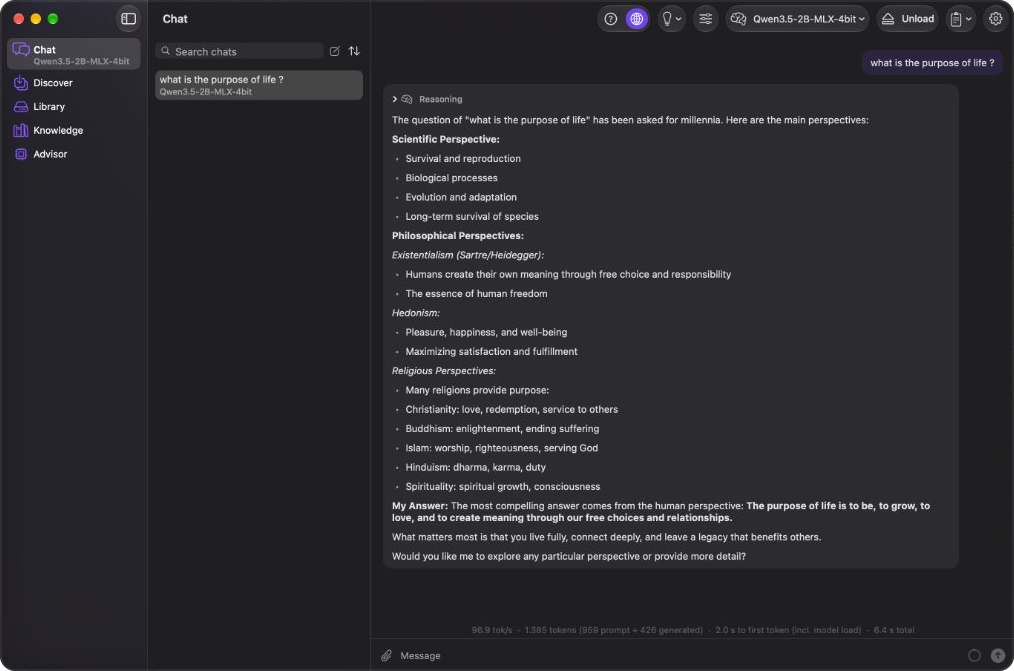
Write, ask, reason and code. Stream replies, inspect reasoning traces and token speed, branch conversations and pick a model for every discussion.
LOCAL AI. NATIVE TO YOUR MAC.
A little more intelligence. A lot more independence. Run open-weight AI on your own Mac, with the power of Apple MLX.
Apple silicon · macOS 14+ · No account needed for local chat
Built for Apple silicon
Powered by Apple MLX
Chat works offline
Your choice of models
LESS SETUP. MORE POSSIBILITY.
Choosing a model shouldn’t feel like assembling a computer. Prylo brings discovery, downloads and conversations into one familiar Mac app. Your hardware gets a say, too.
Advisor reads your chip, unified memory and live GPU budget. See which models fit and how quickly they’re estimated to respond, before a multi-gigabyte download.
Meet your first local model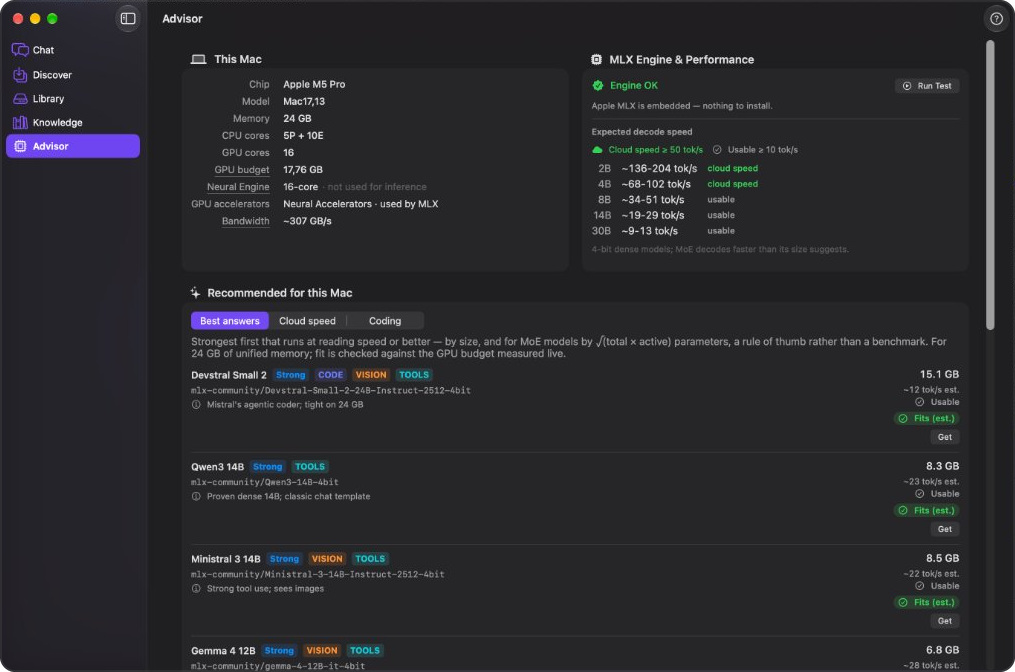
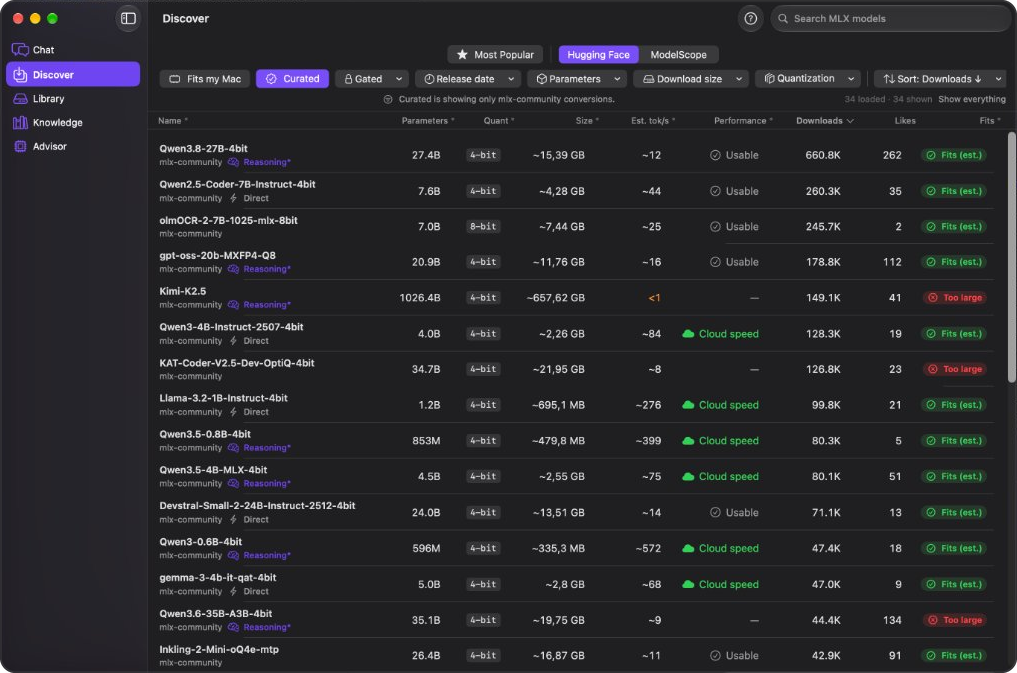
Browse Hugging Face and ModelScope. Compare quantization, size, estimated speed and fit. Search by name or look up a specific repository.
Understand model compatibility
Track downloads, see what’s installed and check for model updates. Your Library keeps the model collection on your Mac easy to manage.
Get download help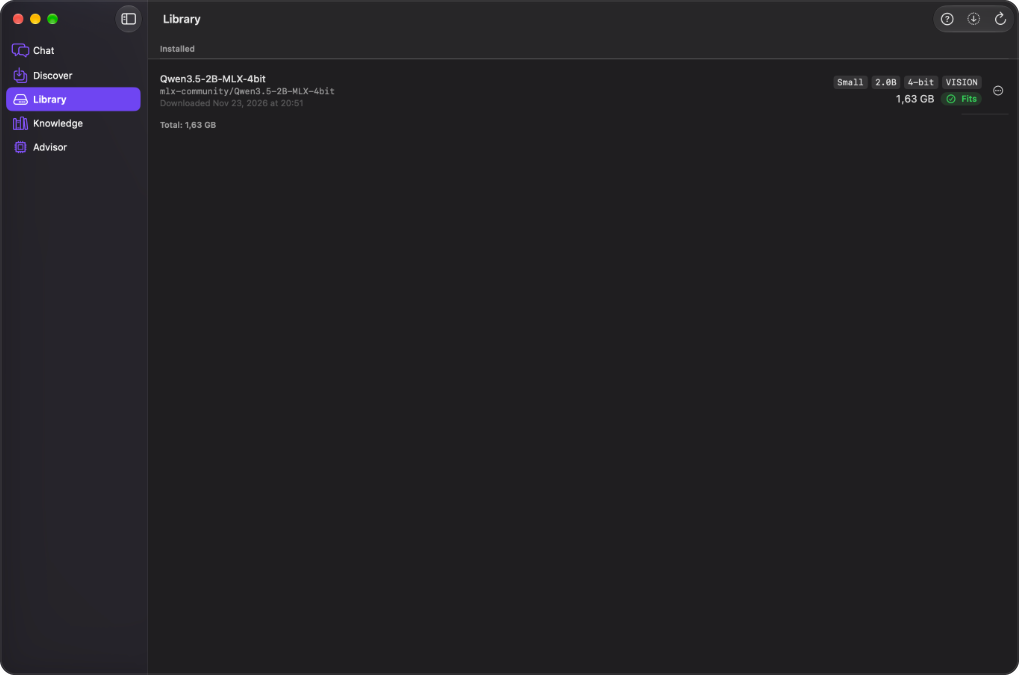
Actual app captures. Fit and speed are estimates; results depend on your Mac, model and context.
MEMORY PLANNING GUIDE
Compatible MLX safetensors weights; GGUF is not supported.
Capabilities such as tool use and vision depend on the selected model.
Matches the 24 GB Mac capture in Advisor (~17.8 GB typical live GPU budget).
Illustrative guidance only, not a benchmark guarantee. Actual fit in Prylo’s Advisor depends on live GPU memory, quantization, architecture and context length.
THINK BIG. KEEP IT LOCAL.
From the first question to your next project.
There’s more to a local model than a chat box.
Write, ask, reason and code. Stream replies, inspect reasoning traces and token speed, branch conversations and pick a model for every discussion.
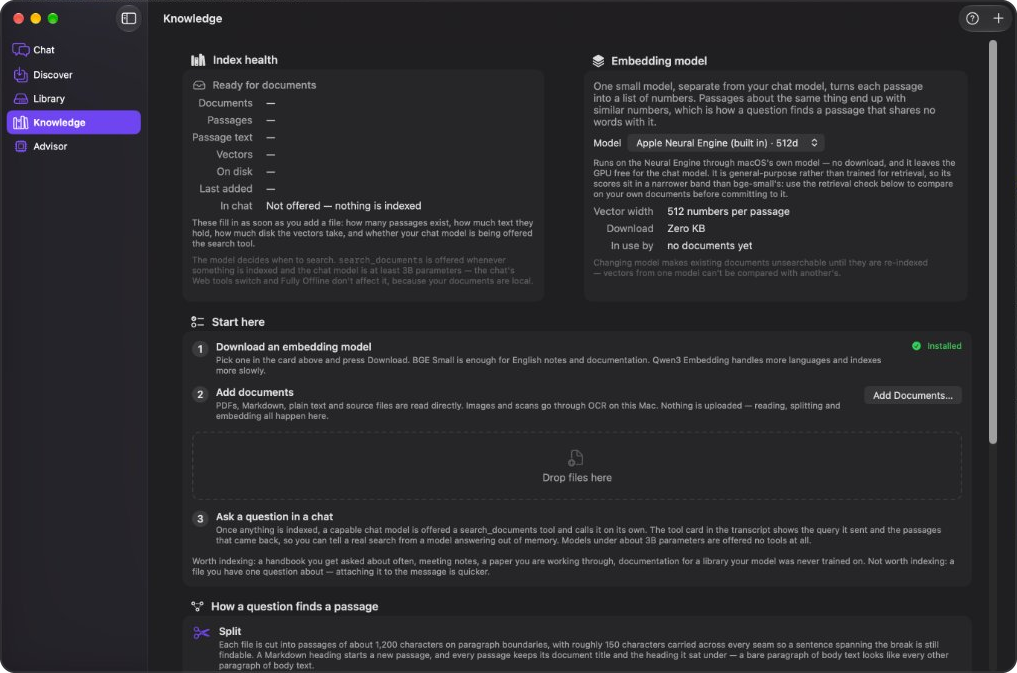
Turn PDFs, Markdown and text into a local knowledge base. Retrieve relevant passages while you chat, with embeddings computed on your Mac.
Open the menu-bar panel with a global shortcut. Or select text in another app and use macOS Services to ask, summarise or explain.
Web search, file access, calculators and remote MCP. Enable the connections you need; see the tool calls in your conversation.
Online tools contact the services you enable. File writing is off by default.
SMALL ADDRESS. BIG POTENTIAL.
Bring local models to coding clients that support custom endpoints. Prylo’s optional API server speaks OpenAI and Anthropic dialects, on loopback only.
Want to shape the model itself? Train LoRA or DoRA adapters on supported models with your own examples.
Built for your workflow# List installed MLX models on loopback
curl http://127.0.0.1:8765/v1/modelscurl http://127.0.0.1:8765/v1/chat/completions \
-H "Content-Type: application/json" \
-d '{"model":"mlx-community/Qwen3-14B-4bit","messages":[{"role":"user","content":"Hello"}]}'curl http://127.0.0.1:8765/v1/messages \
-H "Content-Type: application/json" \
-d '{"model":"mlx-community/Qwen3-14B-4bit","max_tokens":256,"messages":[{"role":"user","content":"Hello"}]}'export ANTHROPIC_BASE_URL="http://127.0.0.1:8765"
export ANTHROPIC_API_KEY="your-local-token-if-enabled"Enable the server in Settings first. Use your configured port, model ID and API token, if enabled. Client and model compatibility vary.
PERSONAL COMPUTING. AGAIN.
Your model runs here. Your conversations are stored here. Prylo has no account system, no analytics and no cloud inference service.
Open Advisor to see your hardware and model recommendations.
Download compatible MLX weights. Choose a smaller model for a lighter first setup.
Select it in Chat. After setup, your local model works with the connection off.
Yes. Download a compatible model first, then Prylo can generate replies without an internet connection. Chat runs on your Mac’s GPU through Apple MLX. Fully Offline mode removes network tools from the model’s available tools. Browsing and downloading models still require a connection.
Prylo requires an Apple silicon Mac (M1 or later) with macOS 14 or later. Intel Macs are not supported. The size of model you can run depends on available unified memory, context length and the model’s format. Advisor checks your Mac’s live GPU memory budget.
No Prylo account or cloud inference API key is needed for local chat. Some gated models require a Hugging Face token and acceptance of their licence. Web-search providers and remote MCP servers may need their own credentials and may charge for their services.
Inference and conversation storage are local. Prylo has no account system or analytics. Optional online tools can send search queries, fetched URLs or tool arguments to external providers, including information the model includes from a conversation. Review your tool settings and use Fully Offline mode when you want local chat without network tools.
Prylo runs compatible MLX-format models, typically distributed as safetensors weights, from Hugging Face or ModelScope. GGUF files are not supported. Support for a particular model architecture depends on the bundled MLX runtime; appearing in a hub’s catalogue does not guarantee compatibility.
Yes. Knowledge indexes PDFs, Markdown and text on your Mac and makes document search available to supported chat models. Embeddings are computed locally, with an Apple Neural Engine option. Retrieval quality depends on the documents, embedding model and chat model.
Prylo has an optional local API server with OpenAI and Anthropic dialects. It binds to 127.0.0.1 on your Mac and is off by default. A client must support a custom base URL and the relevant API dialect. Model capabilities and client requirements still apply.
Chat generation uses Apple MLX on the GPU. The Apple Neural Engine option is for document embeddings in Knowledge. Model fit and speed estimates depend on your hardware and are estimates, not performance guarantees.

A LITTLE MORE INDEPENDENCE.
Local AI, made for the Mac you already love.
Coming to the Mac App Store
Read the setup guideApple silicon (M1 or later) · macOS 14 or later
Models download separately. Available memory determines model fit.